
An online decor site can offer hundreds of references, seasonal collections, and inspiration pages. The question then arises: how to structure navigation so that each visitor can find a product in just a few clicks, while also allowing search engines to index the entire catalog? The answer lies less in the number of pages than in the logic that connects them.
Accessibility of decor navigation: what the European Accessibility Act changes
Since June 28, 2025, the European Accessibility Act (directive (EU) 2019/882) requires online shops targeting consumers in the EU to make their journey keyboard navigable and screen reader friendly. The reference standard is EN 301 549, which refers to WCAG 2.1 level AA for the web.
e-commerce sites already online before this date benefit from a transitional regime: compliance is expected by June 28, 2030. For a decor site, this directly concerns category menus, product filters, and the category-product-cart-checkout journey.
Specifically, a dropdown menu with subcategories (Furniture > Sofas > Corner Sofas) must be navigable without a mouse. Filters by color, material, or price must be understandable by a screen reader, not just by a hex code or a colored dot. Ignoring these constraints means excluding some visitors and exposing oneself to penalties.
By structuring navigation around these accessibility criteria now, a decor site anticipates regulatory constraints while improving the experience for all visitors, including those browsing on mobile with a slow connection.

Menu architecture for a decor site: comparison of common structures
Not all decor sites require the same hierarchy. The choice depends on the number of references, the purchasing logic of visitors, and the tools used (WordPress, Shopify, or other CMS). A Maison Art Déco sitemap illustrates how a flat hierarchy can cover a varied decor catalog without multiplying depth levels.
| Type of structure | Number of levels | Suitable for | Main limitation |
|---|---|---|---|
| Flat menu (all categories visible) | 1 | Showcase sites, fewer than 50 pages | Visually saturates beyond 8 entries |
| Column mega-menu | 2-3 | Decor e-commerce with a large catalog | Poorly ergonomic on mobile if misconfigured |
| Dynamic filter navigation | 1 (+ side filters) | Sites with multiple attributes (color, material, style) | Requires careful technical markup for SEO |
| Hybrid navigation (menu + inspiration pages) | 2 | Sites combining decor blog and shop | Risk of cannibalization between editorial pages and product pages |
The majority of online decor sites combine a main menu with two levels and filters on category pages. This approach offers a good balance between readability for the visitor and depth of indexing for search engines.
Navigation errors that penalize the SEO of a decor site
A visually polished menu does not guarantee effective navigation. Several technical errors frequently occur on decor sites, and their consequences on SEO are measurable.
Menu titles that are too vague or too creative
Naming a category “Our Favorites” or “The Living Room Universe” does not inform either the hurried visitor or Google about the actual content of the page. A menu title must correspond to a searched term: “Sofas”, “Lighting”, “Bedding”. Editorial design comes after clarity.
Excessive catalog depth
When a product is four clicks away from the homepage, indexing bots assign it less value. Each product page should be accessible in a maximum of three clicks from the homepage. For a catalog of several hundred references, this implies intelligently grouping subcategories rather than stacking them.
Non-indexable filters
JavaScript filters that change the display without changing the URL prevent the indexing of relevant filter combinations. A visitor searching for “oak coffee table” on Google will not find your page if the “material: oak” filter generates a non-crawlable dynamic URL.
- Ensure that each strategic filter combination generates a clean URL with clear canonical markup
- Limit the number of indexable combinations to avoid content duplication (favor filters by room and product type)
- Add a breadcrumb on each page to reinforce the hierarchical structure in the eyes of search engines
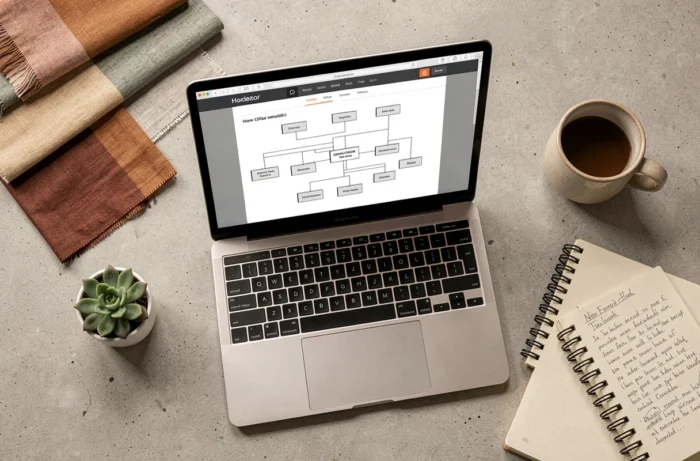
Page hierarchy and internal linking on a WordPress decor site
On WordPress, navigation is not limited to the main menu. The internal linking between editorial pages (blog articles, inspiration guides) and commercial pages (categories, product sheets) constitutes the true skeleton of the site.
A blog article titled “How to Arrange a Scandinavian Living Room” should contain links to the corresponding categories “Sofas”, “Coffee Tables”, and “Lighting”. This linking guides the visitor towards purchase while distributing the SEO weight of the editorial page to the commercial pages.
The XML sitemap remains the technical foundation of this architecture. It lists for search engines all the pages to be indexed, in their actual hierarchy. A poorly configured sitemap (missing orphan pages, included redirects, present noindex pages) skews the indexing of the catalog.
- Create “pillar” pages by decor universe (living room, bedroom, kitchen, outdoor) that centralize links to subcategories
- Link each product sheet to its parent category and to at least one associated editorial content
- Audit the sitemap quarterly to remove obsolete URLs and add new pages
The logic is simple: each page of the site must be linked to at least two other pages through contextual links. An isolated page, even well-written, remains invisible.
Structuring the navigation of a decor site is about building a visitor journey, not just a simple menu. The accessibility constraints imposed by the European directive push in this direction: navigation readable by all, humans and robots. The breadcrumb, the sitemap, and the internal linking form a technical set where each element compensates for the limitations of the others. A menu alone is not enough.